- This article explains what a help desk for small business travel teams needs to do, which features matter at 2, 10 and 20 agents, and which ones can wait.
- It also shows how to choose an affordable help desk by weighing price alongside setup, channels and room to grow.
- It is written for operations and support leads at small travel agencies, DMCs, bedbanks, OTAs and TMCs.
Picture a small travel agency. Bookings arrive in a shared bookings@ inbox, travelers message three different WhatsApp phones, and open cases live in a spreadsheet. When a team like this decides to get a help desk for small business, it usually goes wrong in one of two ways. Some teams pick the cheapest plan and find it can't handle WhatsApp. Others copy the tool a big company uses and spend weeks setting it up. A better way is to start from what your team needs at its size, then choose the most affordable help desk that covers it.
Why Small Travel Teams Often Pick the Wrong Help Desk for Small Business
Most small travel teams buy a help desk after a bad week. A traveler complains, a booking change gets missed, or two people send different answers to the same question. In that rush, it's easy to choose on the wrong thing. Before you look at any tool, it helps to understand how small teams work and where the usual mistakes happen.
A small travel team needs a help desk that is easy to run
In a team of five, nobody does just one job. The person who sells a package also answers the traveler's WhatsApp questions about it. The owner often covers nights and weekends. There is usually no IT person to set things up. And in peak season, such as summer holidays or the January booking rush, the work can double while the team stays the same size. So a small team needs a help desk that is easy to run every day, not the one with the longest feature list.
Choosing a help desk on price or feature count alone goes wrong
Price matters, but it is only one part of the decision. A cheap plan can leave out exactly what you need. For example, Freshdesk's entry Growth plan does not include multiple SLA policies or round robin assignment, which start on its Pro plan (Freshworks, 2026). On the other side, a tool built for large companies can take weeks to set up, and half its features sit unused.
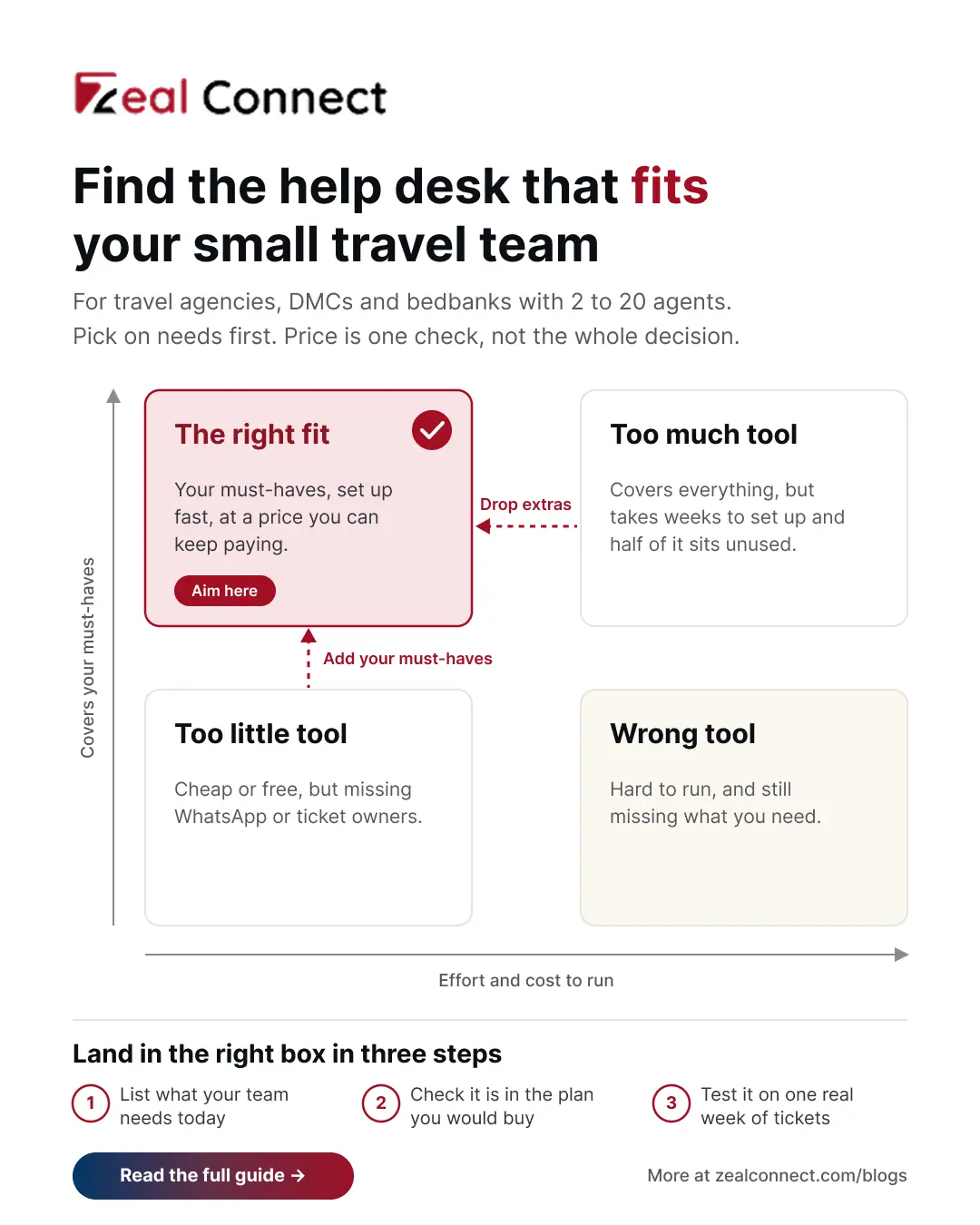
The right help desk for a small travel team covers its needs today, at a price it can keep paying as it grows.
When does a small business outgrow a shared inbox?
Usually when three or more people share the work. You will see the signs in daily work. Two people answer the same traveler with different replies. Someone keeps asking "who has this one?" on the team chat. Travelers send the same request by email and then again on WhatsApp. When someone leaves, their WhatsApp history leaves with their phone. And nobody can say which messages are late. If two or more of these sound familiar, it's time for a help desk.
What Is a Help Desk for Small Business in Travel?
A help desk for small business in travel is a simple system that brings a small team's traveler and partner messages, from email, WhatsApp and web chat, into one shared inbox. Each message becomes a ticket with an owner, a status and the booking reference, so nothing is lost or answered twice.
For a small team, a few features do most of the work. Knowing what you can skip matters just as much, because every extra feature adds setup time and cost.
Six must have features in a small travel help desk
These six features solve most of the problems a small travel team faces:
- One inbox for email, WhatsApp and web chat, so no message lives on a personal phone.
- An owner and a status on every ticket, so everyone can see who is handling what.
- The booking reference on the ticket, so anyone can find the booking in seconds.
- Saved replies and internal notes, so common answers are quick and colleagues can pick up a case.
- Simple reply targets that follow your working hours, so you can see which messages are late.
- A basic report of what is open, waiting and late each day.
Help desk features a small travel team can skip for now
Many plans sell features a small team won't use in its first year. Chatbots and AI add ons, often billed per answer, need good help articles before they help anyone. Skills based routing only matters when agents have very different skills. Complex automation, phone systems, several branded help centres and custom dashboards all take time to set up. They can be useful later. On day one, however, they add cost and work without fixing the problems that made you buy a help desk.
Is a free help desk plan enough?
For two or three people who only use email, often yes. Several help desks offer a free plan for a very small team, usually with a few users and one inbox. But WhatsApp is usually not included. On Help Scout, for example, WhatsApp starts on the paid Standard plan.
If your travelers message you on WhatsApp, plan for a paid help desk plan from the start.
Key Terms Worth Knowing
A few help desk terms come up throughout this article. Here is what each one means for a small travel team.
- Ticket: One traveler or partner request, saved as a record with an owner, a status and the full message history.
- Shared inbox: One inbox the whole team can see, such as bookings@, where messages arrive but nobody is clearly in charge of each one.
- Reply target (SLA): The time you promise to reply in, such as four working hours. The help desk shows which tickets are close to missing it.
- Business hours: The hours your team works. Reply targets count only these hours, so a message sent at midnight isn't late by morning.
- Automatic assignment: A rule that hands new tickets to agents in turn, often called round robin, so the work is shared evenly.
- Light user: A free or cheaper seat for someone who reads tickets and adds notes but doesn't reply, such as an owner or accountant.
What a Small Business Help Desk Needs at 2, 10 and 20 Agents
The six must haves don't all matter on the same day. A team of three needs some of them right away, and the rest become important as the team grows. The table below shows which features to have at each size. After it, each stage is explained with a simple travel example.
Table: Which help desk features a small travel team needs at each size
At three agents a help desk needs one inbox and clear owners. At ten it adds reply targets and automatic assignment. At twenty it adds separate desks.
2 to 5 agents: one help desk inbox and a clear owner
Think of a three person leisure agency. Its biggest problem is that nobody is sure who replied to whom. So the first job is simple: bring email and WhatsApp into one inbox, give every request an owner, and add the booking reference to each ticket. Saved replies then cover the questions you answer every day, such as visa documents or pickup times. That is enough at this size. Reply targets can wait until people start asking, "Has anyone answered this?"
6 to 12 agents: reply targets and fair sharing of work
Now picture a DMC with ten agents handling arrivals in different time zones. Here, tickets start to wait because everyone assumes someone else picked them up. Two features fix this. Reply targets that follow your working hours show which messages are getting late. Automatic assignment hands each new ticket to the next agent in turn, so the work is shared fairly. Without these, a busy morning can leave a traveler's message unanswered for hours.
13 to 20 agents: separate desks and booking data
By 20 agents, a bedbank or B2B agency usually splits the team into desks, for example hotels, transfers and refunds, each with its own targets. Finance and sales staff also need to read tickets without paying for full seats. Many help desks offer light seats for this. On Zendesk, for example, light agents are an add on with the entry Suite plan and included on higher plans. At this size, ask one more question: can booking details come into the ticket automatically, instead of agents copying them by hand?
How to Choose an Affordable Help Desk for Small Business Travel Teams
Once you know which column of the table fits your team, choosing gets much easier. Price is part of the decision, but it should come after you know which plan has your must haves. The checks below help you compare help desks fairly.
Six things to check in a help desk before you look at price
- Your must haves are in the plan you would buy, not only in a higher plan.
- WhatsApp and your other channels work inside it.
- Your team can set it up without an IT person.
- It can grow with you, with desks and light seats when you need them.
- The vendor's support is available in your time zone.
- The full cost is clear, including add ons, WhatsApp message fees, setup fees and monthly versus yearly billing. HubSpot's full help desk plan, for example, carries a one time onboarding fee of $1,500.
Affordable help desk picks and who they suit
Zeal Desk is the best fit for travel teams, because it is built only for travel. Email, WhatsApp and live chat come into one queue, and booking details are pulled onto the ticket through its integration hub, so agents don't type them in. As the team grows, you can split the queue into desks, such as hotels and transfers, each with its own reply targets and hours. AI sorts tickets, picks out booking references and summarises long threads, while your agents write, send and close every reply.
The other four are general help desks built for any industry, so you add the booking reference field yourself. Zoho Desk is a low cost option. WhatsApp comes with its Standard plan, departments and automatic assignment with Professional, and prices vary by country. Help Scout is simple to set up, with WhatsApp and one basic reply target on its Standard plan. Freshdesk puts reply targets, working hours and automatic assignment together on its Pro plan. Zendesk includes messaging channels on Suite Team, while reply targets start on Suite Professional.
Try the help desk on one real week before you pay
Most help desks offer a free trial, so test it on your real work. Connect your bookings@ inbox and your WhatsApp number, add a booking reference field, and set one reply target. Then run an ordinary week through it. At the end, ask three questions. Did anyone reply to the same traveler twice? Did any ticket sit without an owner? Could agents find the booking quickly?
Choose the help desk that gives the best answers, even if it isn't the cheapest.
Conclusion
Go back to the small agency with the shared inbox and three WhatsApp phones. It doesn't need the biggest help desk or the cheapest one. It needs one inbox, a clear owner for every request, the booking reference on each ticket and saved replies. As it grows, it will add reply targets, automatic assignment and, later, separate desks. So start by writing down what your team needs at its size today, and what it will need next. Then check the six points, compare prices for the plan that covers your list, and test your top choice on one real week. The right help desk for small business is the one your team actually uses every day.
Frequently Asked Questions
What features does a small travel agency need in a help desk?
Start with six: one inbox for email, WhatsApp and web chat; an owner and status on every ticket; the booking reference on the ticket; saved replies and notes; reply targets that follow your working hours; and a basic report. Reply targets and automatic assignment matter most once you have about six agents.
Is a free help desk plan enough for a 3 person travel agency?
It can be, if the agency only uses email. Several help desks offer free plans for a few users with one inbox, so check the user limit before you sign up. These plans usually leave out WhatsApp, so agencies that talk to travelers on WhatsApp will need a paid plan from the start.
Does a small travel team need AI in its help desk?
Not on day one. AI add ons work best once you have good saved replies and help articles, and some are billed per answer, which adds cost. Get the basics working first. When you add AI later, keep a person in charge of checking and sending every reply to travelers.
How much should a small travel business spend on a help desk?
Most help desks charge a monthly price per agent, and the plan you need is often one level above the cheapest. For example, Freshdesk lists Growth at $19 and Pro at $55 per agent a month on yearly billing (October 2026). Pay for the plan that has your must haves.
Should a small travel team use a general help desk or one built for travel?
A general help desk can work for a small team that answers by email and WhatsApp and adds a booking reference field by hand. A help desk built for travel, such as Zeal Desk, fits better when tickets depend on booking details and suppliers, which is common for B2B agencies, DMCs and bedbanks.