


- What a support ticketing system for travel needs to do and why generic help desks force travel teams into costly manual workarounds
- The five travel workflows generic tools can't model, plus the Workaround Cost Inventory mapping each workflow to its operational tax
- Written for operations and support leaders at OTAs, TMCs, DMCs, tour operators, and travel payment companies
When we say "ticketing system" in travel, we mean support ticketing: the help desk your team uses to manage customer requests, not the GDS or BSP system that issues airline tickets. Most travel companies run their ticketing system for travel support on a generic tool, and it handles logging and SLAs fine. But the team still copies booking data by hand, chases suppliers in a separate inbox, and builds workarounds for every workflow the tool wasn't designed for.
The real cost isn't the license fee. It's the operational tax on every workflow the system can't model.
Why Generic Ticketing Systems Create Hidden Costs for Travel Companies
Generic desks like Zendesk, Freshdesk, or Zoho Desk work at first. The problems surface once volume grows and the workarounds compound. A generic system models a conversation: subject line, status, thread. Travel operations need a booking with supplier dependencies, financial consequences, and deadlines tied to travel dates. When the system can't hold that structure, the team builds it by hand. According to Sabre (2025), 91% of travel agencies operate with four or more booking systems, and over half manage seven or more. The ticketing system becomes one more disconnected tool in that stack.
Every generic ticketing system used in travel eventually becomes a screen the agent works around, not inside.
What Makes Travel Tickets Different From Every Other Industry's Support Requests?
Travel support requests involve multiple parties: the traveler, the agent, and at least one supplier (often several). Resolution depends on supplier response times, not just agent speed. Many tickets carry financial weight: refunds governed by fare rules, chargebacks with regulatory deadlines, and ADMs that hit the agency's bottom line. Disruption events like weather delays or schedule changes can multiply ticket volume five to ten times overnight. According to Travel Daily News, 60% of travelers switch brands after just one to two poor service experiences. The stakes are real.
Where Do Workarounds Start in a Generic Ticketing System for Travel?
Workarounds start the moment the system can't hold a piece of the workflow natively. A traveler emails about a date change on a package with three suppliers. The generic system logs one ticket. But the agent needs the booking record, supplier contacts, and fare rules. None of that lives in the ticket. Supplier follow up happens in a personal inbox because the desk has no concept of a supplier participant. Arival research shows the average operator uses five separate systems that do not integrate. Each gap is a workaround.
How Much Do Ticketing System Workarounds Actually Cost a Travel Operation?
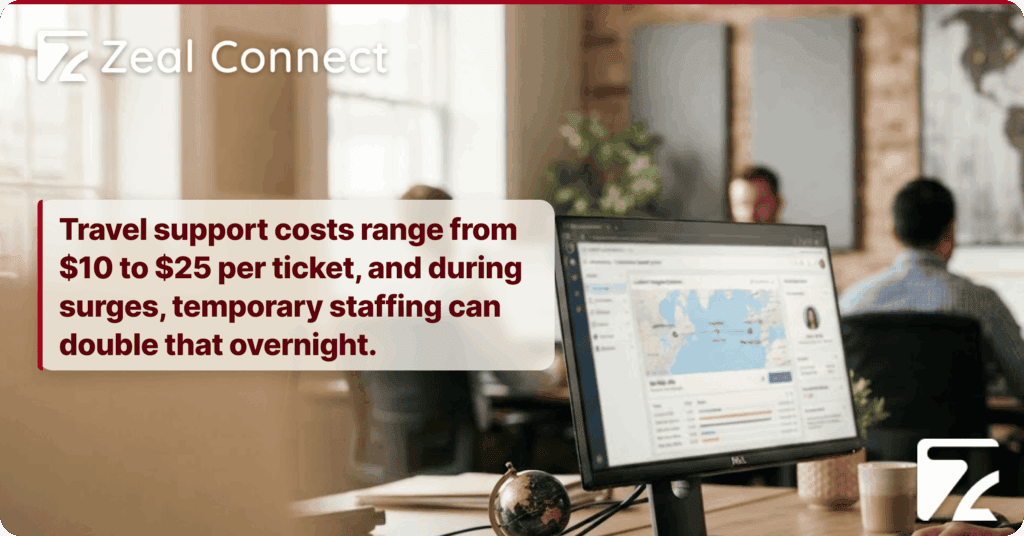
The cost shows up in four places. Agent hours: every copy paste and tab switch adds minutes per ticket that compound across hundreds a day. Duplicate work: without ticket linking, two agents can chase the same supplier unknowingly. SLA breaches: when the supplier wait is invisible, the clock runs against the agent, not the supplier. Financial errors: manual refund tracking means missed chargeback deadlines. According to LiveChatAI (2025), travel support costs range from $10 to $25 per ticket, and during surges, temporary staffing can double that overnight.
What a Support Ticketing System for Travel Actually Needs to Do
A support ticketing system for travel is a platform built around the booking as the unit of work, where suppliers are tracked participants with their own SLA timers, travel workflows (amendments, disruptions, refunds, multi component itineraries) run natively inside the system, and agents work from live reservation data instead of rekeyed summaries in generic conversation threads.
Generic desks can add custom fields for booking references. But a custom field is a text box. It doesn't pull live reservation data, track supplier responses separately, or link a parent booking to its child amendments. A travel native ticketing system does this as standard architecture.
Booking Centric Ticketing: Why the Booking Must Be the Unit of Work
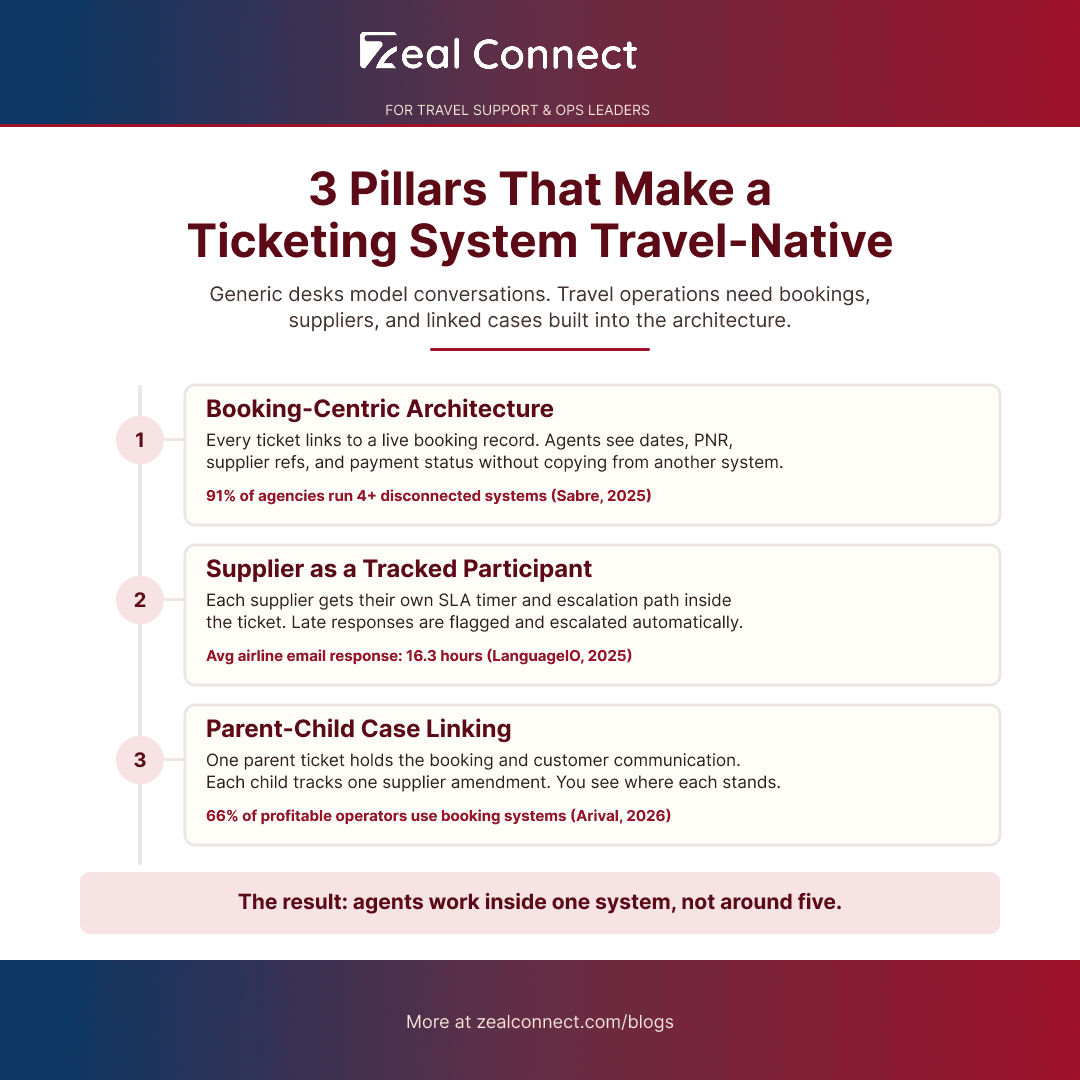
In a booking centric system, every ticket links to a live booking record. The agent sees the actual reservation: dates, PNR, supplier references, fare rules, and payment status. When the traveler writes "I need to change my flight," the booking details are already there. Classification, routing, and prioritization can use booking data instead of relying on manual tagging. The mid office and back office systems travel companies depend on for settlement also feed into the ticket when the architecture supports it.
Why a Ticketing System for Travel Must Model the Supplier as a Participant
In travel, the supplier's response is often the bottleneck. An OTA agent can't close the customer's ticket until the hotel confirms. According to Netomi, average email response times for airlines run 16.3 hours, while hotels and agencies average 12.5 hours. During that wait, the customer facing SLA clock keeps running. A travel native ticketing system models the supplier as a tracked participant with their own SLA timer, escalation path, and communication thread. When the supplier is late, the system flags it automatically.
Parent Child Tickets and Linked Cases for Multi Component Travel Bookings
A tour operator sells a package: flight, hotel, and airport transfer. The traveler changes their dates. That single request triggers three supplier amendments, each with its own timeline and confirmation. In a flat ticketing system, the agent either crams everything into one ticket (losing structure) or opens three separate tickets (losing the connection). Parent child linking solves this. The parent ticket holds the booking and customer communication. Each child tracks one supplier amendment. When the hotel confirms but the airline hasn't responded, the agent sees exactly where things stand.
Key Terms Worth Knowing
A few terms come up throughout this article on ticketing systems for travel. Here is what each one means.
- Ticketing system for travel: a support platform where the booking, not the conversation, is the unit of work.
- Booking centric ticketing: ticket architecture that links each case to a live booking record (PNR, dates, supplier refs, payment status).
- Parent child ticketing: linking a booking and its amendments (or a group's travelers) as one connected case, so changes cascade without losing context.
- Supplier SLA clock: a separate deadline timer for the supplier's response, distinct from the customer facing first reply timer.
- ADM (Agency Debit Memo): an airline issued charge for an agency booking error; creates a financial ticket with regulatory weight that generic desks don't distinguish from a standard inquiry.
Five Travel Workflows That Break When the Ticketing System Is Generic
These five workflows are where generic ticketing systems cost travel operations the most. Each requires structure the system doesn't have, so the team builds a workaround. The Workaround Cost Inventory table at the end of this section maps all five together.
Amendment Cascades and Supplier Chasing in a Generic Ticketing System
A date change on a multi supplier booking sets off a cascade. The agent contacts each supplier, tracks individual responses, and updates the customer once everything is confirmed. In a generic system, this means separate tickets or internal notes to track supplier threads outside the platform. The workaround: spreadsheets for tracking replies, personal email for supplier communication, copy pasting between systems. According to U.S. PIRG (2025), airline complaints rose nearly 9% in 2024, with nearly 1.7 million flights delayed or canceled.
Disruption Triage: When a Ticketing System for Travel Must Shift Operating Modes
A weather event grounds 200 flights in one afternoon. Your queue goes from 300 tickets to 1,500 in a few hours. Disruption events require a different operating mode: bulk classification by disruption type, priority override by travel date, and proactive outreach to affected bookings. Generic systems don't shift modes. They apply the same routing rules at 1,500 tickets that they did at 300. According to Hopper (2026), 89% of travelers planning to fly worry about delays or cancellations, and 42% of disrupted travelers incur unreimbursed out of pocket expenses. Those costs become disputes and chargebacks.
When a disruption hits, the ticketing system either shifts operating modes or becomes the bottleneck itself.
Refund Chains and Financial Tickets in a Travel Ticketing System
A refund request at an OTA or travel payment company isn't one transaction. It's a chain: the customer requests it, the agency processes it, the supplier confirms the amount per fare rules, and the payment settles through BSP or a virtual card provider. In a generic system, this ticket looks identical to a check in time question. It gets a "high priority" tag. There's no audit trail connecting the refund stages, no escalation when a chargeback deadline approaches, and no visibility into where the money is in the settlement chain.
Table: The Workaround Cost Inventory five travel workflows and what they cost on a generic ticketing system
| Travel workflow | What a generic system does | The workaround your team builds | What it costs the operation |
|---|---|---|---|
| Amendment cascade | Logs the request as a flat ticket | Separate tickets per supplier, manual booking data copy, reply tracking in spreadsheets | Duplicate work, data errors, missed supplier deadlines |
| Supplier chasing | No concept of a supplier participant | Personal/shared inbox outside the system, updates pasted back into ticket | Lost visibility, SLA clock runs while supplier leg is invisible |
| Disruption event triage | Same queue, same rules, higher volume | Manual reprioritization, manually overridden routing, shared spreadsheet for tracking | SLA breaches during surge, financial exposure from reaccommodation and ADMs |
| Refund/settlement chain | Tags it "high priority," no workflow | Finance tracks refund status in spreadsheet, no audit trail in the ticket | Financial leakage, compliance gaps, chargeback deadline risk |
| Multi component itinerary | One ticket per component, no linking | Internal notes or personal tracker to connect related tickets | Context lost between tickets, contradictory customer updates |
How to Audit Your Current Ticketing System for Travel Workflow Gaps
The Workaround Cost Inventory above is also an audit tool. Take each of the five workflows and ask one question: does our ticketing system handle this natively, or does the team build a workaround?
If the answer is "workaround" for three or more, the system isn't saving you money. It's creating hidden costs that don't show up on the software invoice.
Which Travel Ticketing Workflows Run Inside Your System, and Which Run Beside It?
Start with the five workflows from the inventory. For each, trace where the work actually happens. Does the amendment cascade run inside the ticketing system, with linked supplier tickets and booking data pulled in? Or does the agent open a separate window, copy data, and track replies in a spreadsheet? Do the same for the other four workflows. Be specific: "we use a custom field for the PNR" is not the same as "the system pulls the live booking record."
How to Quantify Your Ticketing System's Workaround Cost Before Talking to Your CTO
Once you know which workflows run as workarounds, estimate the cost. Count agent hours per week on each one. Multiply by the fully loaded hourly rate. That gives you a line item your CTO will recognize. Sabre's survey found over 80% of agencies believe unified system access would reduce technology costs. Present the workaround cost as a number, and the business case builds itself.
What Should a Travel Operations Leader Look for in a Ticketing System Replacement?
Match your selection criteria to the five workflows. Does the system offer booking centric ticketing with live reservation data? Can it model the supplier as a tracked participant? Does it support parent child linking? Can it shift modes during disruption surges? Does it handle financial tickets with audit trails? According to Arival (2026), 66% of profitable tour operators use a booking system, compared with 40% of unprofitable ones. The pattern holds for support ticketing: systems that match travel workflows produce more efficient operations.
How Does a Support Ticketing System Built for Travel Remove These Workarounds?
Zeal Desk is built only for travel operations. Where a general purpose desk requires custom fields to approximate travel workflows, Zeal Desk models bookings, suppliers, and travel specific automation as native architecture. Here is how it addresses the five workflows from the Workaround Cost Inventory.
How Does Zeal Desk Connect Every Ticket to a Live Booking Record?
Zeal Desk's integration hub connects to your reservation and booking systems, pulls live booking data, and maps it onto ticket fields automatically. The agent sees the actual reservation (dates, PNR, supplier references, payment status) without copying anything. When a booking change triggers multiple supplier amendments, parent child ticket linking keeps the entire case connected. The parent ticket holds customer communication while each child tracks a supplier leg.
How Does Zeal Desk Track the Supplier Leg Inside the Ticket?
Supplier coordination and escalation are first class workflows in Zeal Desk. Each supplier has their own SLA timer and escalation path, tracked inside the customer ticket. When the supplier is late, the system escalates automatically. The agent sees both the customer side and supplier side in one place. General purpose desks treat the supplier as an external party. Zeal Desk treats them as a participant.
How Does Zeal Desk Handle Disruption Surges and Financial Tickets?
Zeal Desk's classification engine and smart field extraction identify disruption related tickets automatically, extracting travel dates, flight numbers, and booking references from incoming messages. Workflow automation reprioritizes by travel date, reroutes to disruption trained teams, and applies surge specific SLA rules. For financial tickets, the system tracks refunds and chargebacks through each stage with audit trails. AI drafts replies and suggests next actions, but the agent always reviews, edits, and sends.
Conclusion
A support ticketing system for travel organizes work around bookings, tracks suppliers as participants, and runs travel workflows natively instead of forcing the team to build them by hand. The Workaround Cost Inventory maps five workflows to the workarounds they create on a generic system and the operational cost of each. If your team is building workarounds for most of them, the cost is already there. It just doesn't appear on the software invoice. The system is the variable worth examining, not the team's effort.
Frequently Asked Questions
What is a ticketing system for travel, and how is it different from a regular help desk?
A support ticketing system for travel organizes work around bookings instead of conversations. It pulls live reservation data into every ticket, tracks suppliers as participants with their own SLA timers, supports parent child linking for multi component bookings, and shifts operating modes during disruption surges. A regular help desk manages conversations with a subject, status, and thread, but has no native concept of a booking or supplier.
Can a generic ticketing system like Zendesk or Freshdesk work for a travel company?
Yes, for smaller teams with straightforward requests. Generic systems manage conversations, SLAs, and routing well. But as travel workflows grow (amendment cascades, supplier chasing, disruption surges, refund chains), the team builds workarounds. Those workarounds add hidden operational cost. The pattern is consistent: the more travel specific workflows you handle, the more a generic tool costs beyond its license fee.
What does a ticketing system for travel need that a generic tool doesn't have?
Five structural capabilities: booking centric architecture linking tickets to live reservation data, supplier participation with separate SLA tracking, parent child ticket linking for multi component bookings, disruption mode switching that changes routing during surges, and financial workflow support with audit trails for refunds and chargebacks. Generic tools can approximate some of these with custom fields, but custom fields don't model the workflow.
How do I know if my current ticketing system is costing my travel operation more than the license fee?
Run the Workaround Cost Inventory from this article against your operation. Check each of the five workflows: amendments, supplier chasing, disruption triage, refund chains, and multi component bookings. If your team builds workarounds for three or more, the operational cost in agent hours, duplicate work, and financial errors likely exceeds what you pay for the software.
Does a travel native ticketing system replace our booking platform or GDS?
No. A travel native ticketing system integrates with your booking platform, GDS, or reservation system. It pulls booking data into support tickets so agents work from the real reservation. It does not replace inventory management, fare search, or distribution. It's the support and operations layer that sits on top of your booking infrastructure.