
- This article explains what enterprise help desk software is and when a travel company needs it.
- It covers the features that set it apart, such as single sign on, audit logs and client SLAs.
- The guide also shows how to check them before you buy.
- It is written for operations and support leaders at TMCs, large OTAs, bedbanks and wholesalers.
A small travel team can run support from a shared inbox or a basic help desk. A TMC with hundreds of agents, several time zones and dozens of corporate clients cannot. At that size, the help desk has to do more than hold tickets. It has to control who logs in, record what changes, and track each client's service promise on its own. That is the job of an enterprise help desk. This guide explains what it is, which features matter most for travel, and how to check them before you sign.
When Does a Travel Company Need an Enterprise Help Desk?
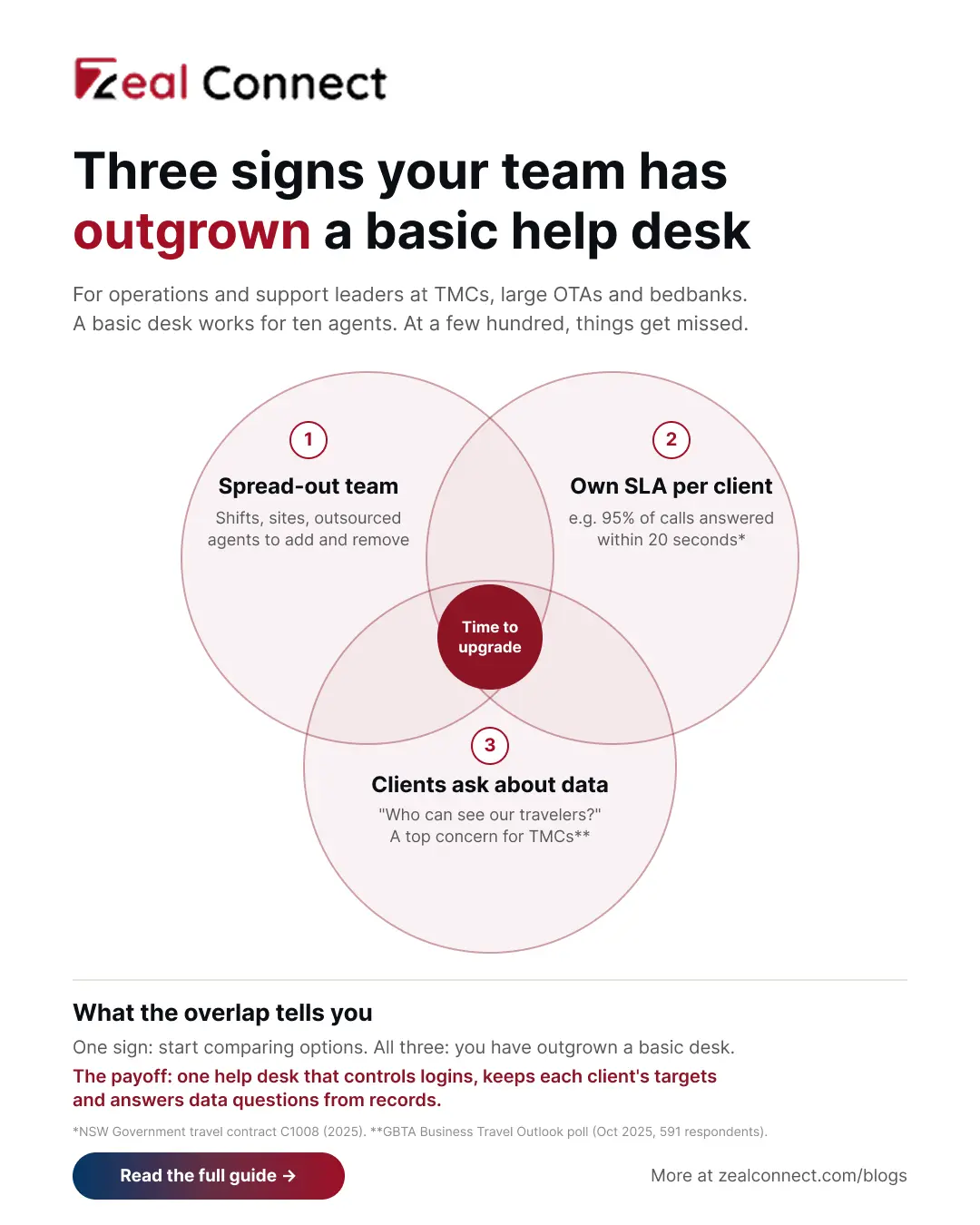
Most travel companies move to an enterprise help desk when their basic setup stops coping. Ticket volume is only part of it. The usual triggers are a larger team, clients with their own service terms, and clients asking how you protect their travelers' data.
Your help desk team now spans shifts, sites and partners
A large OTA or TMC often runs day and night shifts, seasonal agents and an outsourced team for busy periods. Each person needs the right access on their first day and none after their last. In a basic help desk, someone adds and removes these logins by hand. That works for ten agents. With a few hundred people across sites and partners, logins get missed, and old accounts stay open after people leave.
Each corporate client expects its own help desk SLAs
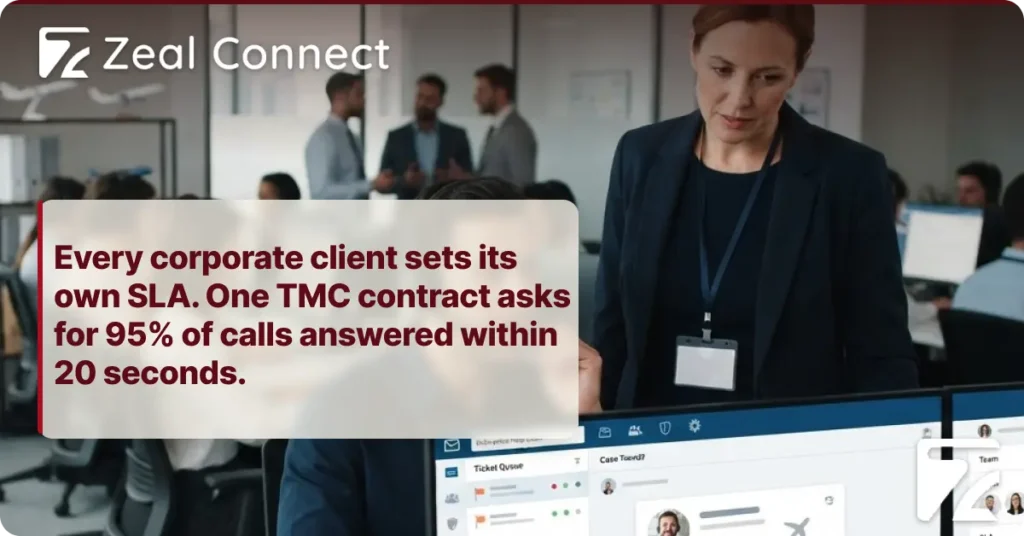
A TMC rarely has one service promise, because each corporate client signs its own targets. The New South Wales government's travel contract is a public example. It expects 95% of calls answered within 20 seconds and emergency bookings handled within one hour (NSW Government, 2025). Another client may only track email reply times.
When one timer covers every client, you cannot show any single client how you did against its contract.
Clients now ask how your help desk protects traveler data
Clients also ask more about data. In GBTA's October 2025 poll of 591 respondents, data privacy and security ranked among the top concerns for buyers, suppliers and TMCs (GBTA, 2025). There are real cases behind that concern. In 2025, attackers reached a third party customer servicing platform used by Qantas, exposing data on 5.7 million customers (Help Net Security, 2025). So a typical corporate RFP asks a TMC to set out service levels and explain who owns the data.
What Is Enterprise Help Desk Software?
Enterprise help desk software is a help desk built for large support operations. It receives, assigns and tracks tickets like any help desk. It also adds the controls a big team needs: single sign on, user roles, audit logs, separate SLAs for each client, and reports for clients and auditors.
Some vendors call it enterprise customer service software. The name matters less than whether these controls come built in or need custom work.
How is enterprise help desk software different from a standard help desk?
Both kinds of help desk receive, assign and answer tickets. The difference is control over a large team. A standard help desk usually has a few user types, one set of SLA rules and a short activity history. An enterprise version adds detailed roles, many SLAs side by side and a full record of important changes. It also connects to your company login system, so access is managed in one place.
Where SSO, audit logs and SLAs fit in an enterprise help desk
SSO, audit logs and client SLAs are three features inside enterprise help desk software. SSO controls how agents log in. Audit logs record what people change. Client SLAs set and track the service promise for each customer contract. Around them sit other enterprise features, such as user roles, export controls and integrations.
SSO, audit logs and client SLAs are features of enterprise help desk software. Together, they keep a large travel support team in control as it grows.
Key Terms Worth Knowing
A few terms come up throughout this article on enterprise help desk software. Here is what each one means.
- Single sign on (SSO): One company login that agents use for the help desk and their other work tools, managed by IT in one place.
- Identity provider: The system that holds your company logins, such as Microsoft Entra ID or Okta, and connects them to the help desk.
- Role based permissions: Rules that decide what each type of user can see and change, based on their role.
- Audit log: A record of important changes in the help desk, showing who made each change, when, and what changed.
- SLA policy: A set of service targets, such as first reply and resolution times, applied to a group of tickets or a client.
- Multi factor authentication (MFA): A second step at login, such as a code or security key, on top of the password.
The Three Core Enterprise Help Desk Features for Travel Teams
These three features usually come up first when a TMC or large OTA upgrades its help desk. The table below sums up these three and two supporting features. The sections after it explain the three core features in plain terms.
Table: Enterprise help desk features a TMC or large OTA should check
SSO: one company login for every help desk agent
Single sign on lets agents log in to the help desk with the same company account they use for email. Your IT team manages that account in one place. For travel teams, the biggest benefit comes when people leave. When a seasonal or outsourced agent finishes, IT turns off one account and help desk access ends the same day. Google's security researchers also advise adding strong MFA. In 2025, attackers phoned staff and talked them into giving access (Google Threat Intelligence Group, 2025).
Audit logs: a record of who changed what in the help desk
An audit log records important actions in the help desk. It shows who changed an SLA rule, a routing rule or a user's role. It also shows the old value, the new value and the time. So when a queue suddenly sends tickets to the wrong team, the log shows what changed. Some help desks also log who viewed or exported tickets. That record matters if data ever leaks. GDPR expects a breach report within 72 hours that states roughly how many people were affected. India's DPDP Rules 2025 also require certain logs to be kept for at least one year (Hogan Lovells, 2025).
Client SLA policies in an enterprise help desk
A client SLA policy holds one client's targets: first reply, resolution and emergency response, plus the hours they apply to. An enterprise help desk runs many of these at once. It applies the right one to each ticket, usually from a client field. Reports then show each client its own results. This matters most at contract reviews.
A desk wide SLA average can look healthy while one key client's targets are being missed.
How Do You Check an Enterprise Help Desk Before You Buy?
Feature lists from different vendors look much the same. So test each feature on a real task, using a scenario from your own operation. Bring your CTO into this step, because they will sign off on the login and integration setup.
Test each enterprise help desk feature with a real scenario
Run three short tests in the demo. First, add an agent through SSO, then remove them in your identity provider. Their help desk access should end straight away. Second, change an SLA rule and check that the audit log shows who did it and what changed. Third, set up two clients with different targets and pull a separate report for each. If any test needs custom development, note the extra cost and time.
Test every enterprise help desk feature on a real task from your own operation during the demo.
Ask about the help desk's data and export controls
Next, ask how the help desk limits sensitive data. Travelers send card numbers, passport scans and home addresses by email, and those details end up in tickets. Ask whether card numbers can be masked, who can export tickets in bulk, and which connected apps can read your data. A breach exposes whatever tickets hold. In 2025, attackers reached Cloudflare's support cases. The company then found 104 of its own API tokens pasted into support case text (Cloudflare, 2025).
Keep enterprise help desk reports ready for client reviews
Once the help desk is live, use it to keep a few records ready. Keep a monthly SLA report for each client and a quarterly list of everyone with access. Add a short plan for what happens if data leaks. Then, when a client review or RFP asks about support, you can answer from records.
What Does Zeal Desk Offer Travel Teams That Need an Enterprise Help Desk?
Zeal Desk is a help desk built for travel operations, and it covers the three core features in this guide. Agents can log in with SSO through the Zeal identity platform. Six default roles, plus custom roles, control what each person can do, and per field edit rights decide who can change each field. A settings audit log records every configuration change with the old and new values, who made it and when, with secrets masked.
For client service levels, SLA policies are matched to ticket field values, so each corporate client can have its own targets. Each company's data is kept separate from other customers. Booking data sits on the ticket, so agents work from the real reservation. AI classifies, extracts and summarises requests, while agents send every reply and close every ticket. As with any vendor, ask for the current list of live security features.
Conclusion
A travel company needs enterprise help desk software once its team, client list and client expectations outgrow a basic setup. The three core features each solve a clear problem. With SSO, access follows people as they join and leave. An audit log means you can always see who changed what. And client SLA policies let you keep, and show, each contract's service promise. Roles, export limits and data controls support all three. Before you buy, test each feature on a real task from your own operation, with your CTO involved. After you go live, keep the reports clients ask for ready, so the next review is a matter of sharing records.
Frequently Asked Questions
What is the difference between a help desk and an enterprise help desk?
An enterprise help desk is a help desk with the controls a large team needs. Both handle tickets. The enterprise version adds single sign on, detailed user roles, audit logs, separate SLAs for each client and client level reports. TMCs and large OTAs need these because clients ask about them in RFPs and reviews.
Is SSO enough to make a help desk enterprise ready?
No. SSO controls how agents log in and lets IT remove leavers in one place. However, an enterprise ready help desk also needs strong MFA, clear user roles and an audit log. It also needs separate client SLAs and limits on data exports. SSO is one feature among several, not the whole package.
What should an enterprise help desk audit log record?
It should record changes to SLA rules, routing rules, user roles and integrations. Each entry should show who made the change, when, and the old and new values. Better logs also record who viewed or exported tickets. Keep logs for at least one year, which India's DPDP Rules 2025 require for certain logs.
Can one enterprise help desk run different SLAs for each corporate client?
Yes. Set up one SLA policy per client, matched on a client field on the ticket, with that contract's reply, resolution and emergency targets. Then tag every ticket with the client so reports come out per client. A single desk wide average cannot show any client whether its own targets were met.
When should a travel company move to an enterprise help desk?
Look at moving when your basic setup stops coping. Common signs are agents spread across shifts, sites or outsourced teams, and clients with their own service targets. Another is RFPs asking how you control access to traveler data. Any one of these is a good reason to start comparing options.