


This article explains what a CRM helpdesk for travel agencies is, how an integrated solution differs from a CRM and a ticketing system run side by side, and how to judge whether a platform is genuinely integrated for travel. You'll get a working definition, a look at how it handles one real booking across suppliers, and a four check decision tool, the Booking Record Test, for evaluating any option. Written for operations and support leaders at OTAs, DMCs, TMCs, and B2B travel agencies.
Most travel agencies already own a CRM and some kind of ticket queue. Yet agents still retype booking details into support tickets, and they still chase suppliers in a separate email thread. So the real question isn't "CRM or ticketing system." It's whether your CRM helpdesk for travel agencies acts as one booking aware record, or as two tools that happen to share a login. This article gives you a working definition, a walk through one real booking, and the Booking Record Test, a four check tool for judging any option.
Why Do Travel Agencies Need an Integrated CRM Helpdesk Now?
When the CRM and the helpdesk don't share a record, the cost shows up as repeated work. An agent opens a ticket, then opens the CRM, then opens the supplier email, then retypes what all three already know. Travel makes this worse than most industries, because a single booking can generate several linked tickets and depend on a supplier who replies on their own schedule. The pressure is rising, too, as contact volumes keep climbing across service teams and travelers expect faster answers across more channels.
What does it cost travel agencies when the CRM and the ticketing system don't talk?
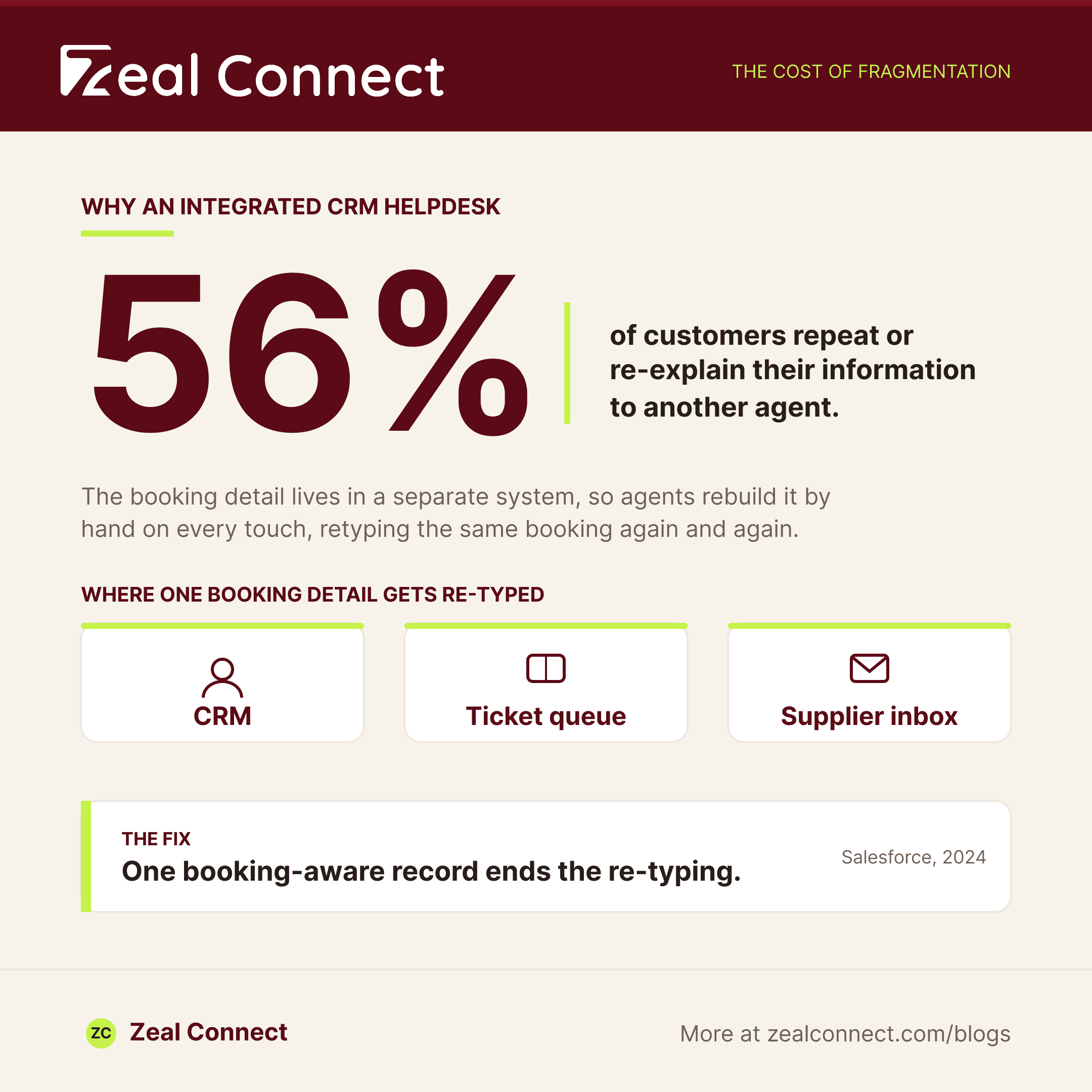
It costs time first, then trust. According to Salesforce (2024), 56% of customers say they often have to repeat or explain their information again to different representatives. In travel that repetition is expensive, because the detail being repeated is a booking reference, a fare rule, or a supplier confirmation. When that context lives in a separate system, agents rebuild it by hand on every touch. Meanwhile the difference between a CRM and a ticketing system gets treated as an either/or, when the actual need is one shared record.
When the CRM and the ticketing system don't share a record, agents rebuild the booking by hand on every touch.
Why does travel stress a CRM helpdesk harder than other industries?
Travel runs on spikes and third parties, and both break a fragile setup. A weather event or a schedule change can turn a few hundred tickets a day into more than a thousand, and every one of those may need a supplier reply before it can move. Satisfaction is already under pressure: the ACSI Travel Study 2025 found online travel agencies dropped 3% to a score of 75 out of 100. A stack that holds up on a quiet day can still come apart during a mass rebooking surge.
What Is a CRM Helpdesk for Travel Agencies, Exactly?
A CRM helpdesk for travel agencies combines relationship data and support ticketing on one record, so customer history and open issues share a place instead of sitting in two synced systems. For a travel agency, though, the record that matters is the booking, not just the contact. That distinction separates three things readers often blur together: a CRM, a ticketing system, and a genuinely integrated CRM helpdesk built for travel.
CRM, ticketing system, or integrated CRM helpdesk: what's the difference?
A CRM stores the relationship: who the customer is, what they've bought, and how to reach them. A ticketing system tracks and resolves individual issues. An integrated CRM helpdesk holds both on one booking aware record, so the history and the open issue never sit in separate places. The gain is context. Because Zendesk (2024) reports that 61% of consumers expect AI driven interactions to feel tailored, the system needs the full record to meet that expectation.
What makes a CRM helpdesk travel native instead of general purpose?
Travel native means the software already knows what a booking, a supplier, and an amendment are. A general purpose desk treats every interaction as a generic ticket, so travel fields become custom setup you build and maintain yourself. A travel native one ships with booking references, supplier links, and check in and check out dates as first class fields. That difference decides how much manual configuration your team carries before the tool fits how travel actually works.
Why is the booking, not the contact, the right unit of integration?
Because one booking creates many related tickets. A single reservation might spawn an amendment, a refund query, and a supplier chase, three issues, one booking. A contact centric CRM scatters those across a person's history, so no one sees them as one case. Organize around the booking instead, and the amendment, the refund, and the supplier follow up stay linked. That linkage is the whole point of integration, and it's the check most tools quietly fail.
In travel, the booking, not the contact, is the right unit of integration for a CRM helpdesk.
Key Terms Worth Knowing
A few terms that recur through this guide, in plain language.
- CRM helpdesk: CRM relationship data and support ticketing acting as one record, so customer history and open issues live in the same place rather than two synced systems.
- Booking centric ticketing: support work organized around the booking, with related tickets (amendments, refunds, supplier chases) linked to one reservation instead of scattered across a contact.
- HCN (Hotel Confirmation Number): the supplier issued confirmation many bookings depend on; chasing and matching it is a routine part of resolving travel tickets.
- FCR / FRT / AHT: first contact resolution, first response time, and average handle time, the response and resolution metrics operations leaders manage to every day.
- SLA (Service Level Agreement): the response or resolution deadline a travel agency commits to, and can be financially penalized for missing on managed accounts.
How Does an Integrated CRM Helpdesk Resolve a Booking Across Suppliers?
The clearest test of integration is a ticket that can't move without a supplier. Most travel resolutions depend on a third party, a hotel, a DMC, or an airline, replying before the agent can act. A booking centric CRM helpdesk keeps that supplier leg on the same record as the customer request. A bolted together stack keeps it in someone's inbox, invisible to everyone else.
Most travel resolutions wait on a supplier, so a CRM helpdesk that can't track the supplier leg leaves half the work invisible.
How does a booking centric CRM helpdesk change how one ticket resolves?
Take a date change on a hotel booking that reprices and needs the hotel to reissue. On one record, the agent sees the booking, logs the supplier follow up, and tracks the reprice without leaving the ticket. Across three tools, that same job means copying details between a CRM, a ticket, and an email chain. The payoff of joining them is measurable: HubSpot (2024) found service leaders whose team data is integrated with their tools are 119% more likely to call their strategy effective.
Where does a bolted together CRM and ticketing system break under disruption?
It breaks at volume, when the seams you tolerate daily become the failure. During a mass rebooking event, agents can't afford to reassemble each booking by hand across systems, so context gets dropped and the same customer explains the problem twice. Travel operators are turning to automation to absorb these surges: Phocuswright (2026) reports 61% of travel businesses are experimenting with or scaling agentic AI. But automation only helps if it reads from one complete record rather than three partial ones.
Table: Handling one travel booking, bolted together stack vs. integrated CRM helpdesk
| Stage of the booking | CRM + separate ticketing system | Integrated CRM helpdesk (travel native) |
|---|---|---|
| New request arrives (email/WhatsApp) | Logged as a generic ticket | Linked to the booking on arrival |
| Booking context on the ticket | Retyped by the agent | Live booking data mapped in |
| Supplier follow up / HCN chase | Sits in a separate inbox | Tracked on the same record |
| Amendment that reprices | Updated in two places | One linked update |
| Disruption spike (mass rebooking) | Context dropped, work repeated | Held together as one case |
How Do You Choose a CRM Helpdesk for Travel Agencies? Run the Booking Record Test
Choosing gets simpler when you stop comparing feature lists and start testing the record. Any vendor can claim integration, so the useful question is what their shared record actually holds and how you'd measure the result. The Booking Record Test is four checks that separate a real integrated CRM helpdesk from two tools synced together. Run it against your current stack first.
The Booking Record Test: four checks for an integrated CRM helpdesk
- One record per booking. Do related tickets, amendment, refund, supplier chase, link to the booking, or scatter across a contact? Scatter is a fail.
- The supplier leg lives on that record. Can the agent track a hotel or DMC follow up on the ticket, not in a private inbox?
- Live booking data, not retyped summaries. Does the system pull the real reservation onto the ticket, or does the agent copy it in?
- Measured in ops metrics. Can you report FRT, AHT, FCR, and SLA on it, not just CRM pipeline vanity metrics?
Which check should your sub vertical weight most?
Weight the check that matches where your work concentrates. An OTA or consolidator lives on check one and the disruption load behind it, because volume and linked tickets are the daily reality. A DMC or hotel wholesaler should weight check two, since most resolutions wait on a supplier. A TMC under contractual SLAs leans on check four, where a missed deadline is a penalty, not a satisfaction dip. The checks don't change; their priority does.
How Does Zeal Desk Pass the Booking Record Test That Bolted On CRM Helpdesks Miss?
Zeal Desk is built only for travel, so the four checks describe how it already works rather than what you'd configure. Horizontal desks like Freshdesk, Zendesk, and Zoho Desk are general purpose tools that any industry can adopt; a booking, a supplier, and an amendment become custom fields and workarounds there. Because Zeal Desk is travel native, those are first class workflows.
Checks one and two: does it keep one record per booking, with suppliers and amendments linked?
Yes, that's the point of its booking centric ticketing. Work is organized around the booking, with parent and child linking that holds a reservation and its amendments, or a group with many travelers, as one connected case. Supplier coordination and escalation are built in workflows, not add ons, so the third party leg stays on the record. That covers checks one and two directly, where a general purpose desk needs custom setup to approximate either.
Check three: does it work from live booking data instead of retyped summaries?
For check three, Zeal Desk's integration hub registers external APIs, pulls live booking records, and maps that data onto ticket fields. So agents and the AI work from the real reservation, not a retyped summary. The AI layer adds booking extraction, smart classification into your own categories, and summaries that turn long supplier threads into a short brief. That's how the booking context arrives on the ticket without an agent copying it across tools.
Check four: does the AI assist while the agent stays in control?
It does, and that distinction matters for check four and for trust. The AI drafts replies and suggests the next action, grounded in the knowledge base and the live booking; the agent reviews, edits, and sends. Support AI agents close only the routine bands they're configured to handle, and anything needing judgment routes to a person with full context. You can report FRT, AHT, FCR, and SLA on the same record, the ops metrics the test asks for.
Conclusion
The cost travel agencies pay for fragmentation isn't a missing feature; it's the repeated work of rebuilding a booking by hand across a CRM, a ticket queue, and an email chain. An integrated CRM helpdesk fixes that by making the booking, not the contact, the shared unit, so amendments, refunds, and supplier follow ups stay on one record. That holds up when it matters most, during the disruption spikes that expose a bolted together stack. Before you compare vendors on feature lists, run the Booking Record Test against what you already use: one record per booking, the supplier leg on it, live booking data, and results you can measure in ops metrics. The checks that fail are your real shortlist.
Frequently Asked Questions
Do I need a CRM, a ticketing system, or both for a travel agency?
You likely need both, working as one. A CRM holds the relationship; a ticketing system resolves issues. Run separately, they force agents to retype booking context. An integrated CRM helpdesk keeps history and open issues on one booking aware record, which is where travel work actually lives.
Can a general purpose CRM helpdesk handle a booking amendment that touches a supplier?
It can, but usually through custom fields and manual steps. A general purpose desk has no built in concept of a booking or a supplier, so the amendment and the supplier follow up live in separate places. You rebuild the link by hand, or you pay to configure and maintain it.
How do I measure whether an integrated CRM helpdesk actually improved anything?
Track first response time, average handle time, first contact resolution, and SLA compliance, plus repeat contact rate. If integration is real, agents stop repeating booking context, so repeat contacts fall and first contact resolution rises. Those movements, not CRM pipeline metrics, tell you it worked.
Is a travel native platform worth it over configuring Zendesk or Freshdesk for travel?
Treat it as a fit decision. Configuring a general purpose desk can work if your travel workflows are light. When supplier coordination, amendments, and SLA pressure are constant, a travel native platform ships those as native workflows, so you spend less time building and maintaining custom setup.